In short
- A single fraudulent call can look ordinary. A ring is visible only across calls: one device used on four accounts, one number calling about three, one voice on several.
- InsightCallIQ builds a graph from the last 30 days of calls. Numbers, accounts, devices and voices are nodes; a call that puts a number, device or voice on an account draws the edge.
- A ring is a connected group that joins two or more accounts through something they share. The demo finds three, and the Fraud page draws only the rings, not the whole graph.
- The same links feed every call's risk score: a device or number seen on other accounts adds points with the count, so the ring shows up on the next call, not just on the graph.
Why fraud rings hide in plain sight
Organised fraud against a contact centre is rarely one call. It is a crew working a list of accounts with the same phone, the same handset or the same practised voice, spreading the calls across days and agents so that no single conversation stands out.
Each agent sees one call. Each QA reviewer sees a sample. A fraud analyst might see the calls that scored high, one at a time. Nobody sees that the polite caller on Tuesday and the stressed caller on Friday used the same device on different accounts, unless something is looking across all of the calls at once. That is what link analysis does.
The graph, from the calls you already have
Every call InsightCallIQ ingests carries four identifiers that matter for fraud: the calling number, the account the call was about, the device fingerprint and the voice cluster (the group of calls whose voices match each other). Link analysis turns those into a graph:
- Nodes are numbers, accounts, devices and voices. Each node remembers how many calls it appeared on, the highest fraud risk among them, and whether it is on the watch list.
- Edges join a number, device or voice to an account. A call draws them; repeat calls thicken them, and each edge keeps the calls that drew it.
- Rings are the connected groups that hold two or more accounts and at least one shared node: a number, device or voice that touches more than one account.
A ring as the model sees it: one device and one voice joining four accounts. Numbers used once sit at the edge; the shared nodes in the middle are what makes it a ring.
The construction is deliberately simple and deterministic: a union-find over the edges, so the same calls always give the same rings, and every link can be traced back to the calls that made it. There is no model guessing that two accounts “seem related”. They are related because a call put the same device on both.
Three rings in the demo
Over the demo's last 30 days, the graph has hundreds of nodes and links, almost all of them ordinary: a customer calling about their own account from their own phone. The Fraud page draws only the rings, which keeps the picture readable. There are three.
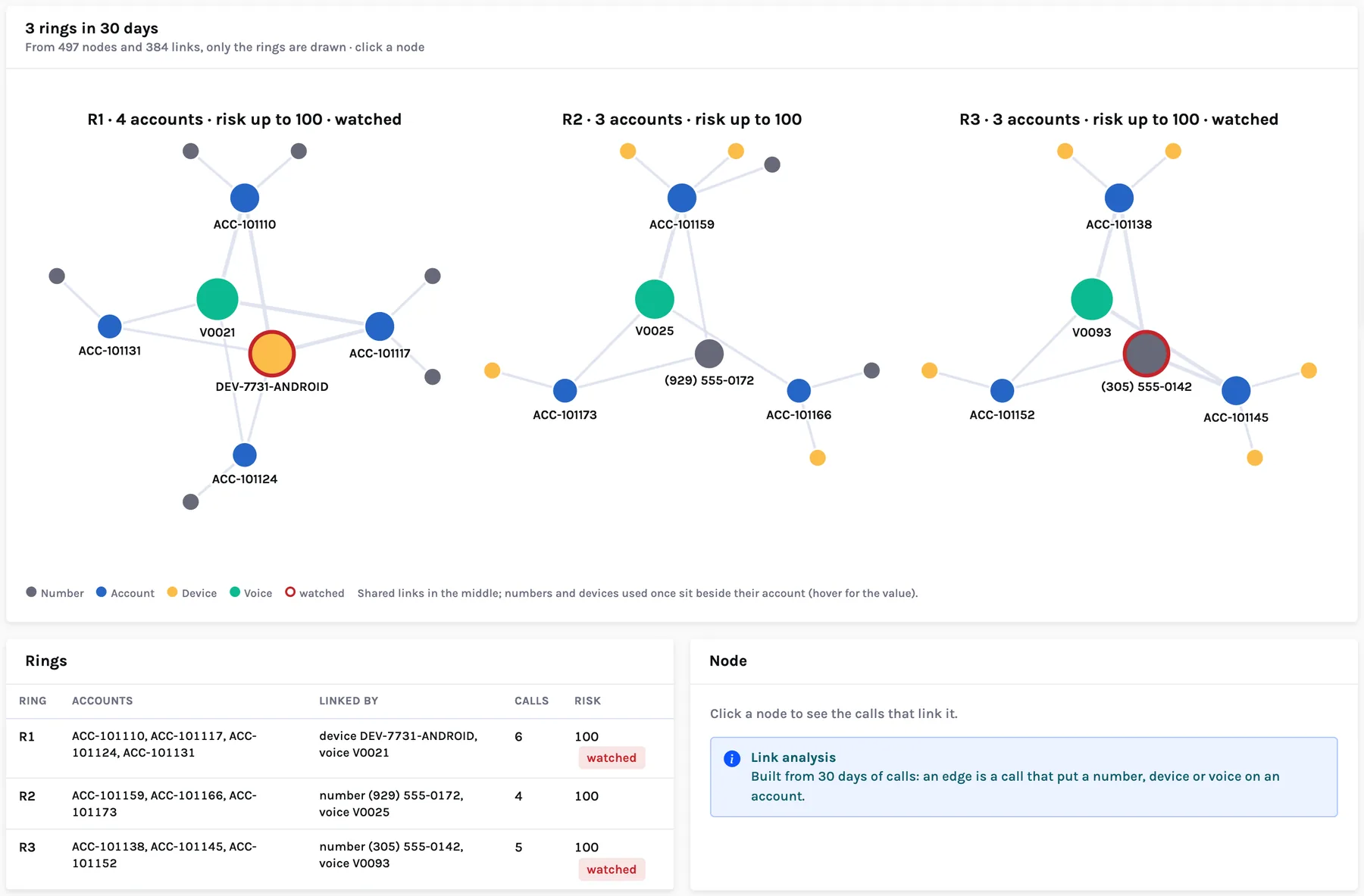
| Ring | Accounts | Linked by | Calls | Watched |
|---|---|---|---|---|
| R1 | 4 | one device and one voice | 6 | yes: the device |
| R2 | 3 | one number and one voice | 4 | no |
| R3 | 3 | one number and one voice | 5 | yes: the number |
Each ring tells a slightly different story. R1 is the takeover crew from the account-takeover post: one Android device and one voice working four accounts, the device now on the watch list after a lead confirmed a review. R3 is older: its number was confirmed as fraud in an earlier quarter (card reissues to drop addresses) and has been on the watch list since, so every call from it already scores high. R2 is the interesting one for an analyst. Nothing in it is watched yet. It was found only because the same number and the same voice reached three different accounts.
Working a ring
The graph is a starting point, not a verdict. Clicking a node lists the calls that link it, and each call's Fraud tab shows the risk, the reasons and the quotes. A typical session on R2 looks like this:
Read the rings table: which accounts, what links them, how many calls, the highest risk. Click the shared number to list the calls that put it on each account.
Each call's score already counts the links: a number that called about other accounts adds points per account, up to a cap, and a voice heard on other accounts adds its own. The quotes show what the caller asked for.
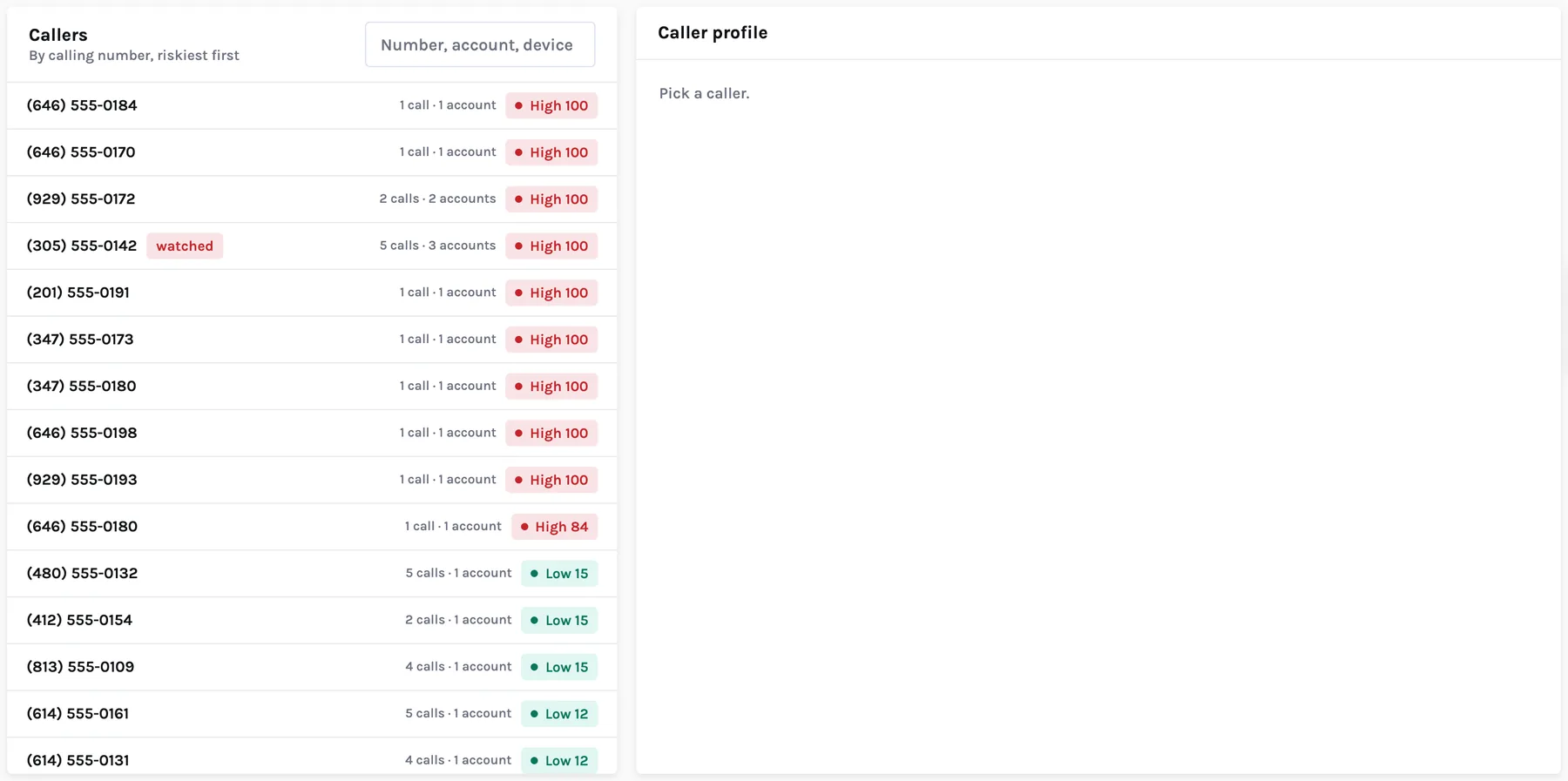
The profile for the number shows its calls, accounts, devices, first and last seen, and the risky actions taken on its calls: contact changes, new payees, card reissues.
Run the agents on a high-risk call and the fraud analyst prepares a fraud review, or the analyst opens one from the call. They work it with the ring as context, and submit.
Confirming a high-risk fraud review is a lead's decision, not the submitter's. On confirmation the lead ticks what to watch: the number, the device, the voice.
The ring on the next call, not just the graph
Link analysis would be a reporting exercise if it lived only on a graph page. In InsightCallIQ the same links are inputs to every call's fraud score, computed from the last 30 days as the call is scored:
| Signal | How it counts | What the reason says |
|---|---|---|
| Device used on other accounts | points per other account, with a cap | The device was seen on other accounts in the last 30 days, with the count |
| Number called about other accounts | points per other account, with a cap | The number called about other accounts, with the count |
| Same voice on other accounts | a fixed number of points | This voice called about other accounts, with the count |
| Number, device or voice on the watch list | a fixed number of points per kind | Which entry matched |
So when the R1 device calls about a fifth account tomorrow, the agent's call is scored with “device used on other accounts” and “device on the watch list” before anyone opens the graph. The alert appears on the Fraud page and the home page with those reasons in it. The caps matter: one shared office phone should not be able to push every call from it into the high band on its own.
Asking the copilot
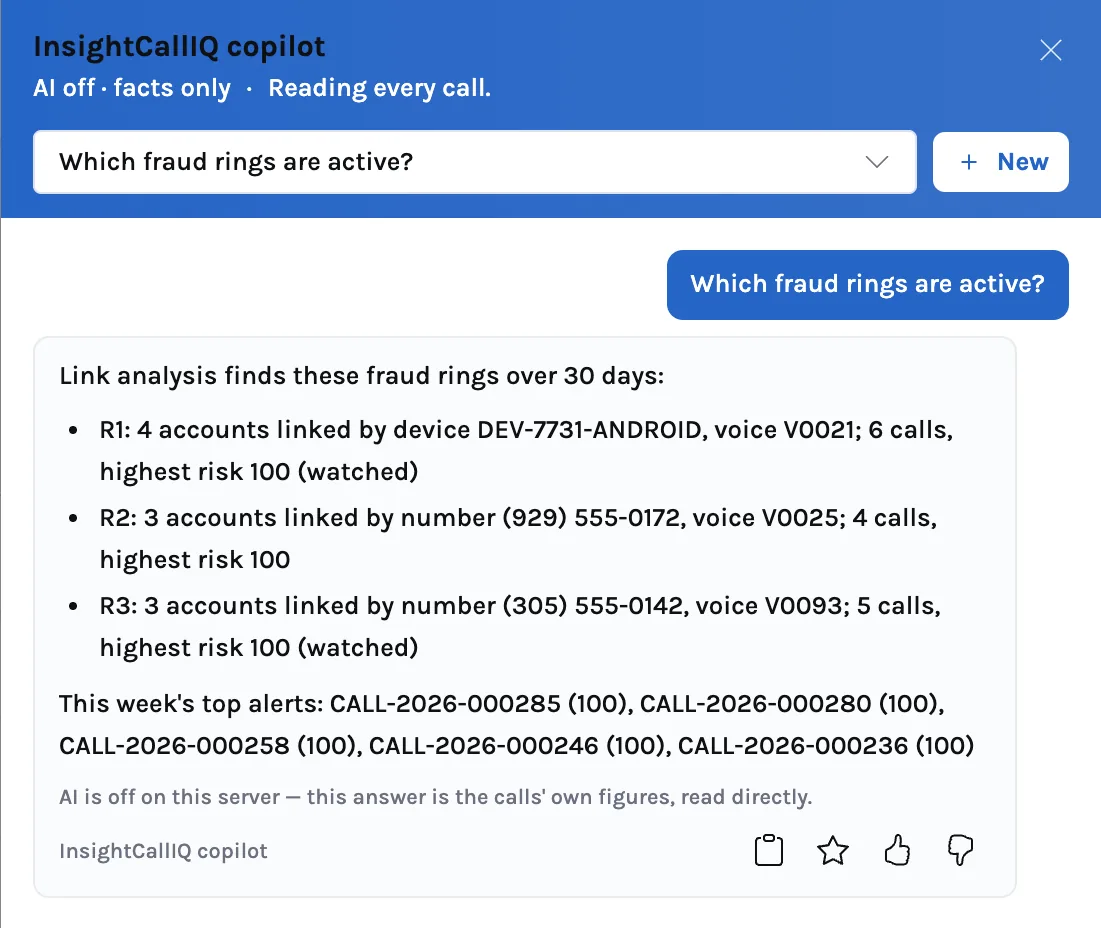
Not everyone who needs to know about rings will open a graph. The copilot, available on every page, answers “Which fraud rings are active?” from the same link analysis, read-only, with the ring identifiers, what links them, the call counts and the week's top alerts. With the language model switched off (as in the demo) it answers directly from the figures and says so; with it on, every name and number in the answer is checked against what it read.
What makes link analysis trustworthy
A model clusters accounts by similarity and reports a ring with a confidence. Nobody can say which call made the link, so nobody can check it or explain it to a customer.
Every edge is a call that put a number, device or voice on an account. Every ring lists what links it. Every node opens the calls behind it, and every call shows its reasons.
- Deterministic. The same calls give the same rings, so a ring in an audit pack can be reproduced.
- Bounded. Thirty days of calls, and only groups with two or more accounts and a shared node become rings. A household sharing one phone can form a ring too, and the analyst sees exactly why: the edges are its calls.
- Connected to decisions. A ring does not freeze accounts or block callers. It raises scores and gives the reviewer context; a person decides each review, and a lead decides what goes on the watch list.
Fraud rings are a pattern across calls. Look across the calls.
One call from a crew sounds like a customer. Six calls from the same device on four accounts do not. InsightCallIQ draws the links from the calls you already record, scores every new call with them, and puts the ring in front of the people who decide.
Where people stay in charge
- A person decides every review: a compliance breach, a fraud alert, a QA dispute, a complaint or a vulnerable customer. When the controls refer it, a lead who did not submit it decides.
- Agents prepare and ask first: every agent action is capped at L2, so a wrap-up note, a calibration request, a watch-list entry or a weekly brief waits for a person to accept it.
- Every score is the engine's: points come from the scorecard's weights and the risk model's reasons, and a drafted sentence with a figure outside the call's facts is thrown away.
- A QA answer stands on a quote: a model answer whose quote is not word for word in the transcript is rejected, and the scorecard's own check stands.